
Archive:
It's been a right couple of weeks. Guess who's boiler died, just in time for the coldest couple of weeks in the year? Yup... Sigh.
And my Egg still isn't dying. I'll get to that, eventually, but to keep warm during the chilly evenings, I've done some scaffolding:
I couldn't resist. The EH500 has a proper post-processing pipeline. CRT simulation, bloom, vignette, chromatic aberration -- the full works.
I've gone with ol' faithful: Timothy Lottes' CRT shader, which is public domain and the one most people will recognise from Retro Deck and Emu Station. One think I really like about this one is the Gaussian falloff, which softens all the pixel edges, and rounds things off. If you squint, it's a little bit like phosphor glow, and it blends quite nicely with the RGB pattern overlay.
There're better shaders around, but this one's pretty nippy. I've extended the original with a couple of extra shadow masks:
And I ripped out the curvature from the original shader. No one needs that...
Next up was bloom. I've gone for a two-stage thing. First, a threshold extraction pass pulls out pixels above a certain cutoff. I've added a soft knee via smoothstep so it doesn't hard-clip and (fun addition) a cheat for emissive colour: I can register 16 specific RGB colours as "emissive" and they'll always bloom, at full brightness, regardless of their actual luminance. So if a game has glowing pickups, or laser beams, or whatever, I can tell the engine "this colour glows" and boom, it glows.
The second stage: a separable Gaussian blur. Nine taps, run horizontally then vertically, ping-ponging between two render targets. I messed about with a lot of different tap sizes, but given the limited number of pixels, it's actually better to keep things tight, which surprised me.
The bloom is done at native resolution (384x216) but composited after the CRT. This lets my bright areas glow over the CRT effect, which looks a bit more convincing. It's basically the same thing that I did on Cecconoid.
You can't ship without a vignette, so I've gone for a shader, rather than an overlay, so each game can tweak it to taste.
I know some people hate this, but I'm a big fan of it in CRT emulation, so I've added some radial RGB displacement -- red gets pushed outward from the centre, blue gets pulled inward, and the green stays put. Atm it's running at 540p. I might move that to the present stage, so it's native to the desktop resolution.
The full chain looks like this:
All the shaders are GLSL, compiled to SPIR-V (offline via glslc) and embedded as byte arrays. SDL3's GPU API loads them with SDL_CreateGPUShader. No vertex shader needed!
Unfortunately, all of this is native-only. I couldn't quite work out if it's possible with EMScriptem & SDL3's abstraction layer, so that's a problem for future Gareth...
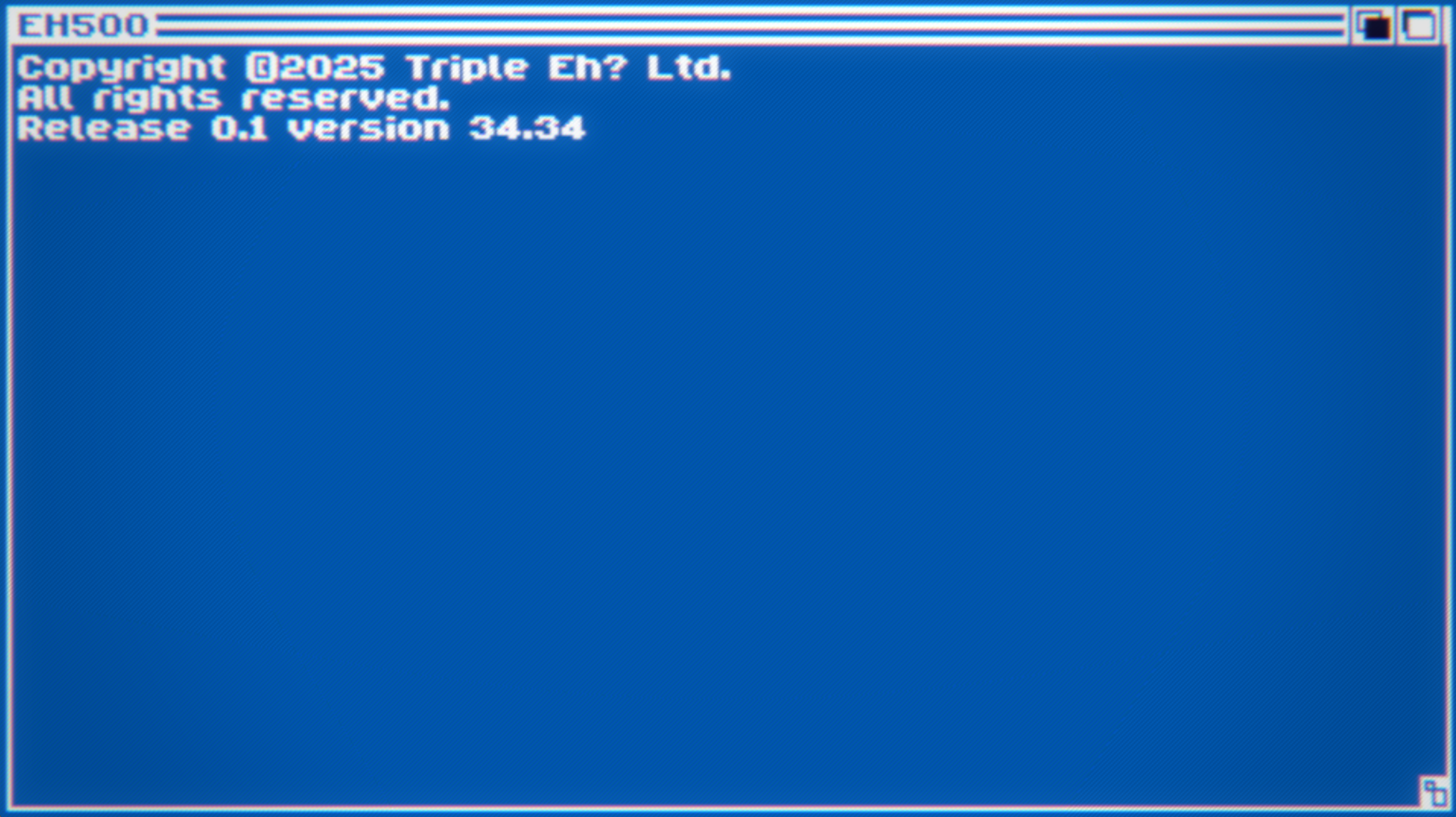
I'm quite happy with that as a first pass. It's purposefully soft, atm, but since it's all tweakable I can settle on whatever I want, game by game.
I've moved the game from C to C++! I wanted to make sure that the EH500 was a well behaved C citizen. And it wasn't. So it is now. And, being a lazy git, I've copied the bits I like from UE's gameplay framework, and set things up along very similar lines. GameInstance, GameMode etc. I figure the less context switching there is when I jump from thing to thing, the better.
A large percentage of the optimisation work in 2umo was making sure I was only ticking the things that needed to Tick. Blame the Switch, but at times it was making a noticeable difference on my Dev Rig. To the point where, now, I'm the Tick Police.
So much so, at $DAYJOB I created a TickableActor interface, so things can add and remove themselves from a managed ticklist, at runtime. And I liked this so much that I built myself the same thing in C++. Hurrah!
I briefly wrote about stealing, er, implementing my own version of UE's GameplayTags last time. They're properly wired into Eggnob now. UGameStateTags wraps the library with a full observer pattern -- IGameplayTagListener gets OnGameplayTagAdded / OnGameplayTagRemoved callbacks, and anything that cares can implement the interface.
I learned my lesson on 2umo -- commit to the Tags, don't layer them on top of a state machine and hope for the best.
I am breaking The Rule: don't get side-tracked by tooling... But! I think my reasoning is sound.
I was using TileD for the tilemaps, collision, and spawn data, which was fine, it worked, but... Switching between Tiled and the game itself is faff. Annnd, there's a load of data that I want to embed in a level that I can't do as nicely as I'd like to in TileD. The big one being: bespoke animation curves for objects that move about the level. So I've started building an editor.
I know... Don't tap the sign.
It parses .aseprite files directly to extract tilesets and sprite regions, and it reads and writes .tmj files (Tiled's JSON format) so the output is still compatible with the engine's default loader. There's a tile painting mode -- cos that's easy, I wrote a tilemap editor back in 2017 -- a furniture mode, for placing spawn points (player, exit, ducks), and a trigger mode for defining trigger areas.
The "hard" bit will be the enemy placement, with custom curves and meta-data that I want to pass to the game. But it's already worth it. I can hit the space bar and it'll instantly launch the game, straight to the level that I'm editing. Lovely.
I've got two playable levels, a proper gameplay framework, the bones of a level editor, and an egg that still can't die. The scaffolding is solid, so the next chunk of work is going to be the fun bit; smashing that bastard egg.
Musings, random thoughts, work in progress screenshots, and occasional swears at Unreal Engine's lack of documentation -- this is a rare insight into what happens when a supposedly professional game developer plans very little up-front, and instead follows where the jokes lead them.
Journal IndexFriends:
If you like any of my work, please consider checking out some of the fantastic games made by the following super talented people: